PIF Frames for the program Epson Easy Photo Print
Content: text (20 symbols)
Uploaded: 10.01.2012
Positive responses: 0
Negative responses: 0
Sold: 5
Refunds: 0
~ $1
The exact amount is on the payment page
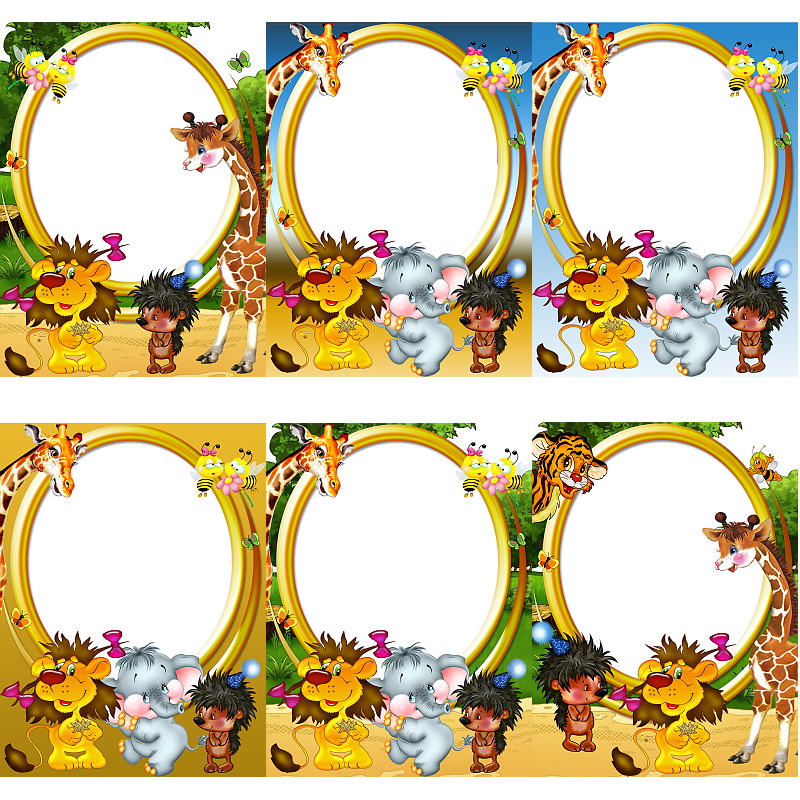
Photo frames for children's programs Epson Easy Photo Print format .fd2, for one photo, borderless printing A4 number of 10 pieces.
After payment you will get a direct link to download the archive with the framework size of 50 MB.
After payment you will get a direct link to download the archive with the framework size of 50 MB.
To your frame has been set in the program
Epson Easy Photo Print (EEPP) need to:
1. Open the Epson Easy Photo Print (EEPP)
2. Select a picture
3. Paper Selection:
- To put daw "borderless"
- Paper size A4
4. Layout and Printing:
- Select the layout "Adding a frame"
- Click the "Add Border"
- Select the downloaded frame
- Then click "add"
5. Frame installed!
Epson Easy Photo Print (EEPP) need to:
1. Open the Epson Easy Photo Print (EEPP)
2. Select a picture
3. Paper Selection:
- To put daw "borderless"
- Paper size A4
4. Layout and Printing:
- Select the layout "Adding a frame"
- Click the "Add Border"
- Select the downloaded frame
- Then click "add"
5. Frame installed!
No feedback yet