Endless Space 2: Harmonic Memories (DLC) STEAM KEY GLOB
Content: text (0 symbol)
Available: 10
Uploaded: 09.11.2025
Positive responses: 8
Negative responses: 0
Sold: 70
Refunds: 0
~ $2.96
The exact amount is on the payment page
⚠️ ! This game requires the Steam version of Endless Space 2
Edition Type: STEAM KEY / RUSSIA + WORLDWIDE
🌎 This edition has no region restrictions and can be activated anywhere in the world
🔹 Game Language: Russian (subtitles + interface) / English
🔹 Release Date: November 15, 2018
🔹 Platform: Windows
🔹 Region: Region Free (any country, no restrictions)
🔹 Activation: Steam
===============================================
More than 6 years have passed since the release of the first Endless Space game... FlybyNo brings you remastered versions of the old songs from the game. This is the music that made Amplitude Studios famous! Harmonic Memories also includes Harmony´s new hero, FES2 Reflector. A few words from FlybyNo:
Harmonic Memories features nine of my favorite songs from Endless Space. They´ve now been updated with new instruments and performers.
We recorded the duduk on two tracks. It´s an Armenian flute, and it led the main theme in Endless Space 1. We also recorded a vocal duet for all the choir parts (I sang them myself back in the day—and I can tell you, I sang them incredibly poorly!). My assistant, Alexander, redid all the rhythm parts, and I replaced most of the synthesizers with new ones—especially the Solaris (John Bowen) and The River—we used a French synthesizer, of which only 20 units exist so far. I hope you enjoy listening to it as much as I enjoyed recording it.
• Composer and producer - FlybyNo
• Duduk and drum programming - Alexandre Bobe
• Voices - Samantha Ferrando and Bertrand Antigny
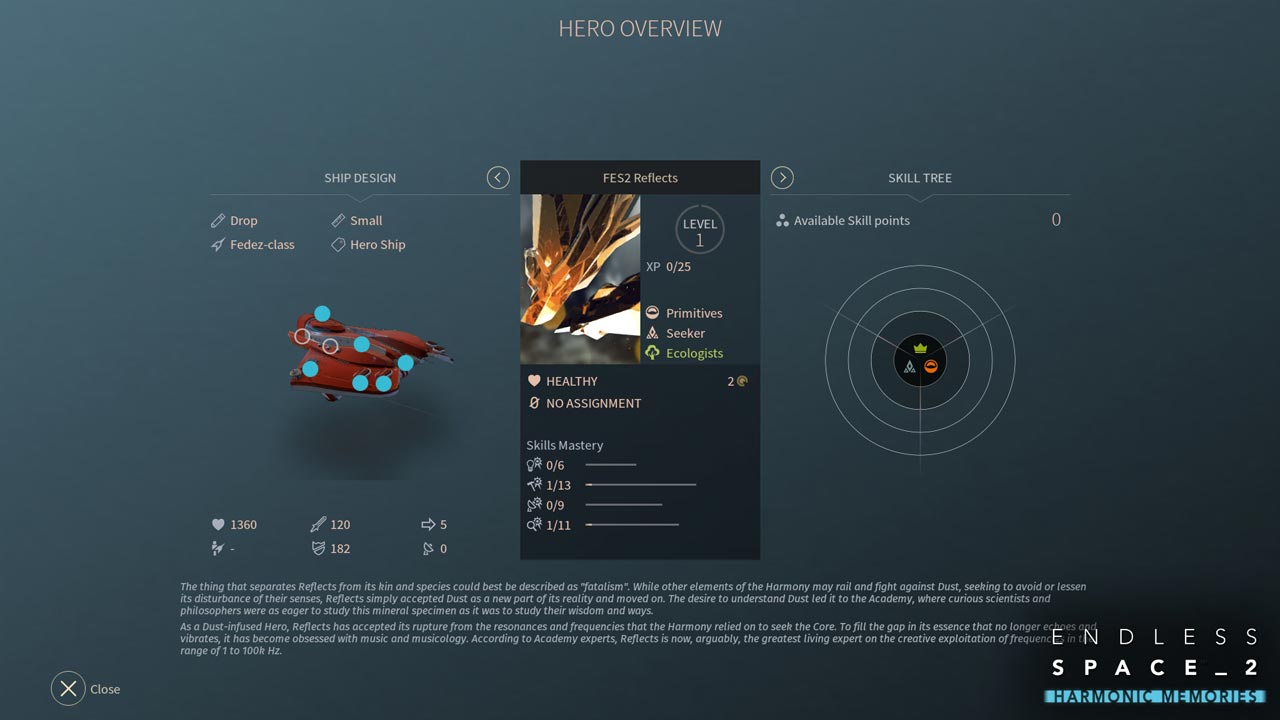
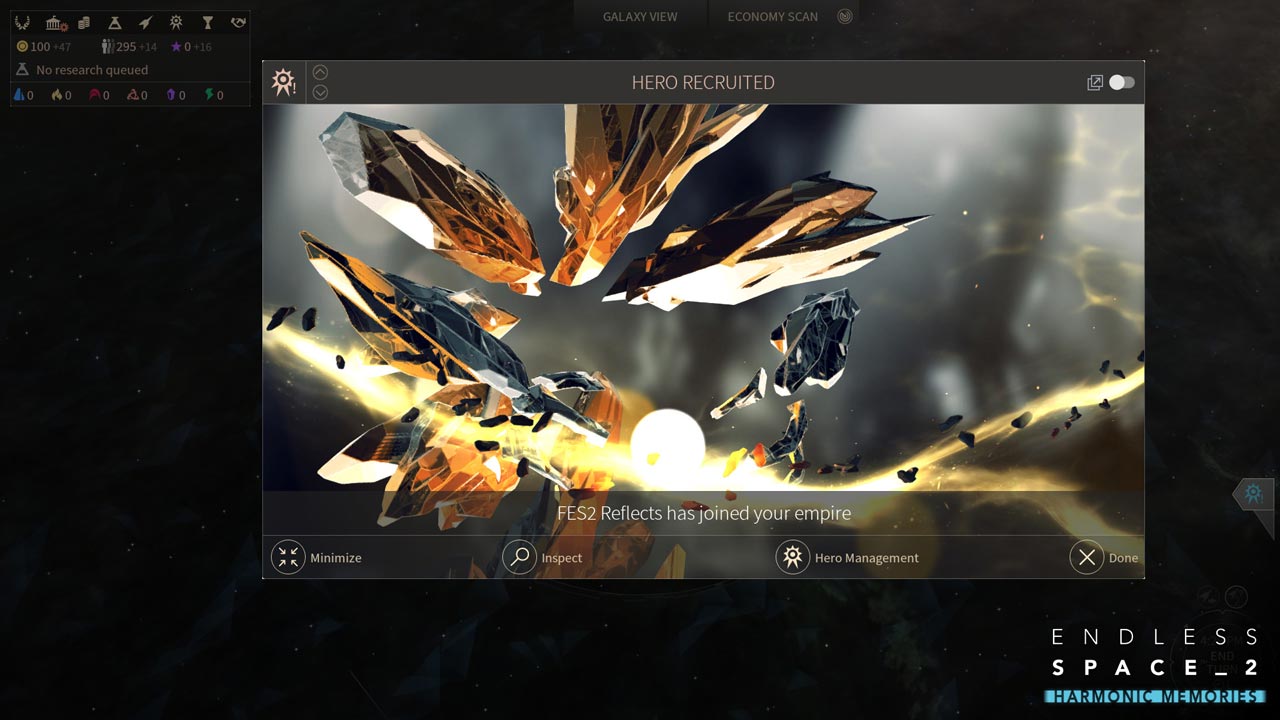
• New Harmony hero: FES2 Reflector
Reflector differs from his peers, perhaps, in his fatalism. While other elements of Harmony are ready to unite and fight Dust, striving to prevent it from upsetting their feelings or at least reduce its influence, Reflector has accepted Dust as a new element of reality and has moved on. His desire to understand the nature of Dust led him to the Academy, where inquisitive scientists and philosophers studied Dust with the same enthusiasm with which Dust studied their knowledge and way of life...
==========================================
Activation
1. Download and install Steam http://steampowered.com/download/SteamInstall.msi (if not already installed)
2. Launch the Steam client
3. Create a new Steam account or log in to an existing one
4. Go to the "Games" section and select "Activate on Steam"
5. Enter the activation key you purchased
6. The game will then appear in your list of games and can be installed
Edition Type: STEAM KEY / RUSSIA + WORLDWIDE
🌎 This edition has no region restrictions and can be activated anywhere in the world
🔹 Game Language: Russian (subtitles + interface) / English
🔹 Release Date: November 15, 2018
🔹 Platform: Windows
🔹 Region: Region Free (any country, no restrictions)
🔹 Activation: Steam
===============================================
More than 6 years have passed since the release of the first Endless Space game... FlybyNo brings you remastered versions of the old songs from the game. This is the music that made Amplitude Studios famous! Harmonic Memories also includes Harmony´s new hero, FES2 Reflector. A few words from FlybyNo:
Harmonic Memories features nine of my favorite songs from Endless Space. They´ve now been updated with new instruments and performers.
We recorded the duduk on two tracks. It´s an Armenian flute, and it led the main theme in Endless Space 1. We also recorded a vocal duet for all the choir parts (I sang them myself back in the day—and I can tell you, I sang them incredibly poorly!). My assistant, Alexander, redid all the rhythm parts, and I replaced most of the synthesizers with new ones—especially the Solaris (John Bowen) and The River—we used a French synthesizer, of which only 20 units exist so far. I hope you enjoy listening to it as much as I enjoyed recording it.
• Composer and producer - FlybyNo
• Duduk and drum programming - Alexandre Bobe
• Voices - Samantha Ferrando and Bertrand Antigny
• New Harmony hero: FES2 Reflector
Reflector differs from his peers, perhaps, in his fatalism. While other elements of Harmony are ready to unite and fight Dust, striving to prevent it from upsetting their feelings or at least reduce its influence, Reflector has accepted Dust as a new element of reality and has moved on. His desire to understand the nature of Dust led him to the Academy, where inquisitive scientists and philosophers studied Dust with the same enthusiasm with which Dust studied their knowledge and way of life...
==========================================
Activation
1. Download and install Steam http://steampowered.com/download/SteamInstall.msi (if not already installed)
2. Launch the Steam client
3. Create a new Steam account or log in to an existing one
4. Go to the "Games" section and select "Activate on Steam"
5. Enter the activation key you purchased
6. The game will then appear in your list of games and can be installed
! Before buying, please check the system requirements of the game and other parameters that interest you (they may change with time). This can be done on the sites Steam / Uplay / Origin or the official website of the publisher. Goods purchased by mistake, as well as unsuitable for system requirements or region of activation, can not be returned and exchanged!
Dear customers! Convincing request, if there are any problems with the purchased goods, do not leave a negative feedback immediately. Write us a message in the correspondence (the purchase page on the site Oplata.info). We will try to respond to your message as soon as possible and promptly solve the problem. We draw to the fact that the basis for the exchange or return of the purchased key (key), which gives an error when activated, can only be VIDEO RECORD of the purchase process and subsequent attempt to activate it (mandatory condition - the record should not contain editing features).
Our entire range: https://boardrussia.ru/digital-shop/seller/467960
We will be grateful for every positive feedback you have left after the purchase. Sincerely, the project team "AlternativA".
Dear customers! Convincing request, if there are any problems with the purchased goods, do not leave a negative feedback immediately. Write us a message in the correspondence (the purchase page on the site Oplata.info). We will try to respond to your message as soon as possible and promptly solve the problem. We draw to the fact that the basis for the exchange or return of the purchased key (key), which gives an error when activated, can only be VIDEO RECORD of the purchase process and subsequent attempt to activate it (mandatory condition - the record should not contain editing features).
Our entire range: https://boardrussia.ru/digital-shop/seller/467960
We will be grateful for every positive feedback you have left after the purchase. Sincerely, the project team "AlternativA".
17.02.2025 0:27:07
Спасибо!
07.06.2024 16:01:10
товар пришёл сразу после оплаты, огромный респект
13.02.2024 10:35:06
Хороший продавец и отличный товар
28.09.2022 10:04:59
Хорошо и быстро
13.04.2022 10:24:46
Всё четко, ключ получил
07.09.2020 21:36:33
код пришел, всё работает
20.06.2020 8:36:13
активировалось без проблем, всё хорошо
13.05.2020 1:50:52
Всё ок, спасибо