The Dark Pictures Anthology: The Devil in Me STEAM KEY
Content: text (17 symbols)
Available: 28
Uploaded: 08.09.2025
Positive responses: 6
Negative responses: 0
Sold: 29
Refunds: 0
~ $12.55
The exact amount is on the payment page
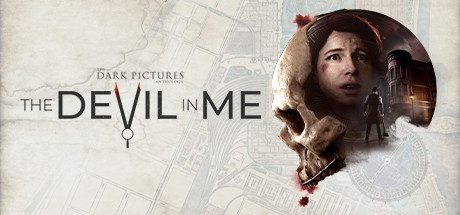
Edition type: Steam Key (key) / RU / UA / CIS
! This key can only be activated on a Steam account registered in Russia, Ukraine or CIS countries
Game language: Russian (full) / English
Release Date: November 18, 2022
Platform: Windows
Region: RU / UA / CIS (Russia, Ukraine and CIS countries)
Activation: Steam
=======================================
WELCOME TO THE DARK PICTURES
The studio that gave us Until Dawn presents a series of unrelated cinematic games with a branching horror storyline. Great for short gaming sessions alone or with friends. The Devil in Me is the fourth game in the series and concludes the first season.
A group of documentarians receive a mysterious invitation to a modern-day replica of serial killer H. G. Holmes´ Murder Castle. This is a great chance to spark the interest of the public, and it should not be missed.
The hotel is ideal for filming, but in reality everything is not so simple. The members of the film crew are being followed - and even trying to manipulate them. No more ratings now!
Welcome to the Hotel of Death!
Here everything is not what it seems, but the service is just not to die to get up! In the final episode of the season, explore every corner of the World´s Fair Hotel with new gameplay features such as character inventory, tool puzzles, and advanced movement options (the game now lets you run, jump, and climb).
He has already thought about your death
Escape the deadly traps of a cunning maniac who dreams of becoming America´s most successful serial killer. Survive in the "death rooms" created by his sick imagination.
Don´t play alone!
Pass terrible tests of loyalty - will you risk your own life for the sake of a loved one? Two fan-favorite multiplayer modes are back: play through the story with a friend online, or play five players in front of one screen.
Will you be able to outsmart the killer and save all the heroes? In your story, all playable characters can survive or die.
=======================================
Activation
1. You need to download and install the Steam app https://store.steampowered.com (if not already installed)
2. Create a new Steam account or log into an existing one
3. Go to the "Games" section and select "Activate on Steam"
4. Enter the activation key you purchased
5. After that, the game will appear in the application library and it can be installed
! This key can only be activated on a Steam account registered in Russia, Ukraine or CIS countries
Game language: Russian (full) / English
Release Date: November 18, 2022
Platform: Windows
Region: RU / UA / CIS (Russia, Ukraine and CIS countries)
Activation: Steam
=======================================
WELCOME TO THE DARK PICTURES
The studio that gave us Until Dawn presents a series of unrelated cinematic games with a branching horror storyline. Great for short gaming sessions alone or with friends. The Devil in Me is the fourth game in the series and concludes the first season.
A group of documentarians receive a mysterious invitation to a modern-day replica of serial killer H. G. Holmes´ Murder Castle. This is a great chance to spark the interest of the public, and it should not be missed.
The hotel is ideal for filming, but in reality everything is not so simple. The members of the film crew are being followed - and even trying to manipulate them. No more ratings now!
Welcome to the Hotel of Death!
Here everything is not what it seems, but the service is just not to die to get up! In the final episode of the season, explore every corner of the World´s Fair Hotel with new gameplay features such as character inventory, tool puzzles, and advanced movement options (the game now lets you run, jump, and climb).
He has already thought about your death
Escape the deadly traps of a cunning maniac who dreams of becoming America´s most successful serial killer. Survive in the "death rooms" created by his sick imagination.
Don´t play alone!
Pass terrible tests of loyalty - will you risk your own life for the sake of a loved one? Two fan-favorite multiplayer modes are back: play through the story with a friend online, or play five players in front of one screen.
Will you be able to outsmart the killer and save all the heroes? In your story, all playable characters can survive or die.
=======================================
Activation
1. You need to download and install the Steam app https://store.steampowered.com (if not already installed)
2. Create a new Steam account or log into an existing one
3. Go to the "Games" section and select "Activate on Steam"
4. Enter the activation key you purchased
5. After that, the game will appear in the application library and it can be installed
! Before buying, please check the system requirements of the game and other parameters that interest you (they may change with time). This can be done on the sites Steam / Uplay / Origin or the official website of the publisher. Goods purchased by mistake, as well as unsuitable for system requirements or region of activation, can not be returned and exchanged!
Dear customers! Convincing request, if there are any problems with the purchased goods, do not leave a negative feedback immediately. Write us a message in the correspondence (the purchase page on the site Oplata.info). We will try to respond to your message as soon as possible and promptly solve the problem. We draw to the fact that the basis for the exchange or return of the purchased key (key), which gives an error when activated, can only be VIDEO RECORD of the purchase process and subsequent attempt to activate it (mandatory condition - the record should not contain editing features).
Our entire range: https://boardrussia.ru/digital-shop/seller/467960
We will be grateful for every positive feedback you have left after the purchase. Sincerely, the project team "AlternativA".
Dear customers! Convincing request, if there are any problems with the purchased goods, do not leave a negative feedback immediately. Write us a message in the correspondence (the purchase page on the site Oplata.info). We will try to respond to your message as soon as possible and promptly solve the problem. We draw to the fact that the basis for the exchange or return of the purchased key (key), which gives an error when activated, can only be VIDEO RECORD of the purchase process and subsequent attempt to activate it (mandatory condition - the record should not contain editing features).
Our entire range: https://boardrussia.ru/digital-shop/seller/467960
We will be grateful for every positive feedback you have left after the purchase. Sincerely, the project team "AlternativA".
22.11.2025 9:16:11
Все отлично! товар пришел моментально! Активировал на ру аккаунте)
15.11.2025 22:36:14
Всё хорошо, быстро прислали!
04.07.2025 17:09:33
спасибо
06.06.2025 21:13:52
Супер
19.05.2025 19:24:05
Ключ рабочий, всё хорошо!
18.05.2025 23:26:39
спс! все ок!