Puzzle Agent (STEAM KEY) RUSSIA +KZ +CIS
Content: text (19 symbols)
Available: 2
Uploaded: 15.09.2025
Positive responses: 0
Negative responses: 0
Sold: 1
Refunds: 0
~ $1.12
The exact amount is on the payment page
Type of publication: STEAM KEY / RU / UA / KZ / CIS
⚠️ ! This key can only be activated on a Steam account registered in Russia, Ukraine, Kazakhstan and other CIS countries
🔹 Game language: English
🔹 Release date: June 30, 2010
🔹 Platform: Windows
🔹 Region: RU / UA / KZ / CIS (Russia, Ukraine, Kazakhstan and other CIS countries)
🔹 Activation: Steam
=========================================
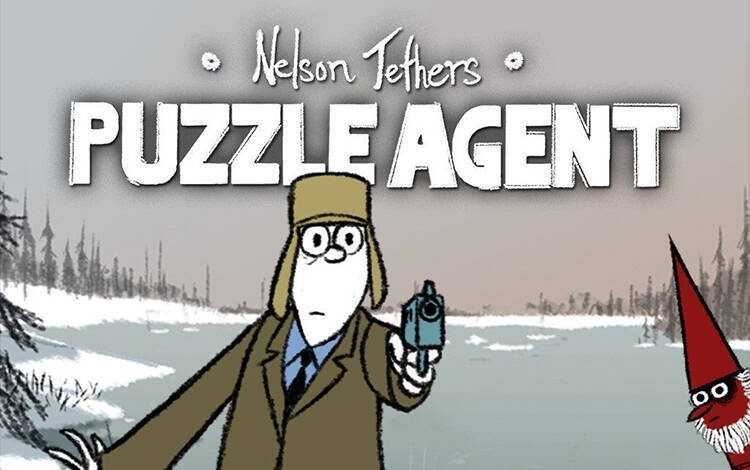
When the White House´s requests to Scoggins Eraser Co. are met with only curious puzzles, Nelson Tethers from the US Puzzle Research Department is on the case.
The strange goings-on in Scoggins will test all of Tethers´ knowledge, and perhaps even his wits, with puzzles at every turn: mazes, logic puzzles, riddles, and more. He soon realizes that all of this - along with the clinically anxious townspeople, secret societies, and peculiar sounds from the forest - is tightly connected to the main mystery. And what´s with the gnomes?
Created with the unique storytelling and visual sensibility of indie comic artist Graham Annable, and delivered in Telltale´s signature storytelling style, Puzzle Agent is sure to challenge, excite, and engage in more ways than you can shake a cryptogram at!
• A variety of puzzles to challenge your neurons. See if you can find all the puzzles to solve the mystery of Scoggins - mazes, logic puzzles, riddles, and more.
• Investigate strange, peculiar, and mind-boggling cases to solve this case! Your discoveries provide clues to a larger mystery plaguing the city, or reveal riddles that must be solved to find answers... or even more questions.
• Search for Clues: Chewing gum helps Agent Tethers think and solve. Find and collect wads of chewing gum around the city to find clues if you´re "stuck" on a puzzle.
=======================================
Activation
1️⃣ You need to download and install the Steam application https://store.steampowered.com (if not already installed)
2️⃣ Create a new account on Steam or log into an existing one
3️⃣ Go to the "Games" section and select "Activate on Steam"
4️⃣ Enter the activation key you purchased
5️⃣ After that, the game will appear in the application library and you can install it
⚠️ ! This key can only be activated on a Steam account registered in Russia, Ukraine, Kazakhstan and other CIS countries
🔹 Game language: English
🔹 Release date: June 30, 2010
🔹 Platform: Windows
🔹 Region: RU / UA / KZ / CIS (Russia, Ukraine, Kazakhstan and other CIS countries)
🔹 Activation: Steam
=========================================
When the White House´s requests to Scoggins Eraser Co. are met with only curious puzzles, Nelson Tethers from the US Puzzle Research Department is on the case.
The strange goings-on in Scoggins will test all of Tethers´ knowledge, and perhaps even his wits, with puzzles at every turn: mazes, logic puzzles, riddles, and more. He soon realizes that all of this - along with the clinically anxious townspeople, secret societies, and peculiar sounds from the forest - is tightly connected to the main mystery. And what´s with the gnomes?
Created with the unique storytelling and visual sensibility of indie comic artist Graham Annable, and delivered in Telltale´s signature storytelling style, Puzzle Agent is sure to challenge, excite, and engage in more ways than you can shake a cryptogram at!
• A variety of puzzles to challenge your neurons. See if you can find all the puzzles to solve the mystery of Scoggins - mazes, logic puzzles, riddles, and more.
• Investigate strange, peculiar, and mind-boggling cases to solve this case! Your discoveries provide clues to a larger mystery plaguing the city, or reveal riddles that must be solved to find answers... or even more questions.
• Search for Clues: Chewing gum helps Agent Tethers think and solve. Find and collect wads of chewing gum around the city to find clues if you´re "stuck" on a puzzle.
=======================================
Activation
1️⃣ You need to download and install the Steam application https://store.steampowered.com (if not already installed)
2️⃣ Create a new account on Steam or log into an existing one
3️⃣ Go to the "Games" section and select "Activate on Steam"
4️⃣ Enter the activation key you purchased
5️⃣ After that, the game will appear in the application library and you can install it
! Before buying, please check the system requirements of the game and other parameters that interest you (they may change with time). This can be done on the sites Steam / UBISOFT (Uplay) / EA APP (Origin) or the official website of the publisher. Goods purchased by mistake, as well as unsuitable for system requirements or region of activation, cannot be returned and exchanged!
Dear customers! Convincing request, if there are any problems with the purchased goods, do not leave a negative feedback immediately. Write us a message in the correspondence (the purchase page on the site Oplata.info). We will try to respond to your message as soon as possible and promptly solve the problem. We draw to the fact that the basis for the exchange or return of the purchased key (key), which gives an error when activated, can only be VIDEO RECORD of the purchase process and subsequent attempt to activate it (mandatory condition - the record should not contain editing features).
Our entire range: https://boardrussia.ru/digital-shop/seller/467960
We will be grateful for every positive feedback you have left after the purchase. Sincerely, the project team "AlternativA".
Dear customers! Convincing request, if there are any problems with the purchased goods, do not leave a negative feedback immediately. Write us a message in the correspondence (the purchase page on the site Oplata.info). We will try to respond to your message as soon as possible and promptly solve the problem. We draw to the fact that the basis for the exchange or return of the purchased key (key), which gives an error when activated, can only be VIDEO RECORD of the purchase process and subsequent attempt to activate it (mandatory condition - the record should not contain editing features).
Our entire range: https://boardrussia.ru/digital-shop/seller/467960
We will be grateful for every positive feedback you have left after the purchase. Sincerely, the project team "AlternativA".
No feedback yet