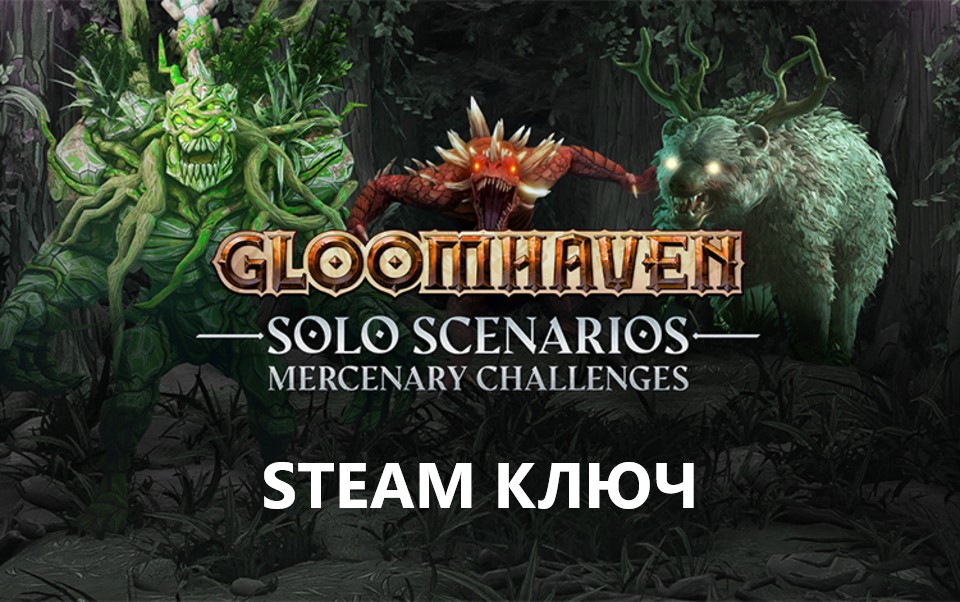
Gloomhaven - Solo Scenarios: Mercenary Challenges STEAM
Content: text (0 symbol)
Available: 1
Uploaded: 15.12.2025
Positive responses: 0
Negative responses: 0
Sold: 0
Refunds: 0
~ $3.16
The exact amount is on the payment page
⚠️ ! The Steam version of Gloomhaven is required to play.
Publication type: STEAM KEY / RU / UA / KZ / CIS
⚠️ ! This key can only be activated on a Steam account registered in Russia, Ukraine, Kazakhstan, and other CIS countries.
🔹 Game Language: English
🔹 Release Date: September 22, 2022
🔹 Platform: Windows
🔹 Region: RU / UA / KZ / CIS (Russia, Ukraine, Kazakhstan, and other CIS countries)
🔹 Activation: Steam
============================================
Solo Scenarios: Mercenary Challenges is a digital adaptation of the Solo Scenarios board game expansion for Gloomhaven, the critically acclaimed tactical RPG.
Compete in 17 new, meticulously crafted missions by Isaac Childress, designer of the Gloomhaven board game. Each scenario has its own unique reward. However, there´s one catch: each mission can only be completed with a specific mercenary!
Each deadly scenario takes into account the strengths and weaknesses of a specific mercenary, and the rewards are tailored to them. Scenarios are unlocked when the desired mercenary reaches level 5 in the story campaign, giving you time to hone their skills. You can also unlock items from the Guild Master by completing that character´s story scenarios.
You can also take your current multiplayer save and complete solo scenarios yourself, importing them into your next session or the next host session. Plus, you can watch your friends desperately struggle to succeed in real time!
Rise to the Challenge
Expanding on the story campaign narrative, these scenarios are significantly more challenging than the base game. Play at your own risk, mercenary.
Gloomhaven - Solo Scenarios: Mercenary Challenges includes:
• 17 new scenarios, each tailored to a specific base game.
• 17 new items, one for each of the original mercenaries.
• Items and scenarios have been reworked and balanced by Isaac Childress to better match the digital version.
• New unique enemies...
To access the Solo Scenarios: Mercenary Challenges content in multiplayer co-op, each player must own the DLC.
=========================================
Activation
1️⃣ Download and install the Steam app from https://store.steampowered.com (if you haven´t already)
2️⃣ Create a new Steam account or log in to an existing one
3️⃣ Go to the "Games" section and select "Activate on Steam"
4️⃣ Enter the activation key you purchased
5️⃣ The game will then appear in your Steam library and can be installed
Publication type: STEAM KEY / RU / UA / KZ / CIS
⚠️ ! This key can only be activated on a Steam account registered in Russia, Ukraine, Kazakhstan, and other CIS countries.
🔹 Game Language: English
🔹 Release Date: September 22, 2022
🔹 Platform: Windows
🔹 Region: RU / UA / KZ / CIS (Russia, Ukraine, Kazakhstan, and other CIS countries)
🔹 Activation: Steam
============================================
Solo Scenarios: Mercenary Challenges is a digital adaptation of the Solo Scenarios board game expansion for Gloomhaven, the critically acclaimed tactical RPG.
Compete in 17 new, meticulously crafted missions by Isaac Childress, designer of the Gloomhaven board game. Each scenario has its own unique reward. However, there´s one catch: each mission can only be completed with a specific mercenary!
Each deadly scenario takes into account the strengths and weaknesses of a specific mercenary, and the rewards are tailored to them. Scenarios are unlocked when the desired mercenary reaches level 5 in the story campaign, giving you time to hone their skills. You can also unlock items from the Guild Master by completing that character´s story scenarios.
You can also take your current multiplayer save and complete solo scenarios yourself, importing them into your next session or the next host session. Plus, you can watch your friends desperately struggle to succeed in real time!
Rise to the Challenge
Expanding on the story campaign narrative, these scenarios are significantly more challenging than the base game. Play at your own risk, mercenary.
Gloomhaven - Solo Scenarios: Mercenary Challenges includes:
• 17 new scenarios, each tailored to a specific base game.
• 17 new items, one for each of the original mercenaries.
• Items and scenarios have been reworked and balanced by Isaac Childress to better match the digital version.
• New unique enemies...
To access the Solo Scenarios: Mercenary Challenges content in multiplayer co-op, each player must own the DLC.
=========================================
Activation
1️⃣ Download and install the Steam app from https://store.steampowered.com (if you haven´t already)
2️⃣ Create a new Steam account or log in to an existing one
3️⃣ Go to the "Games" section and select "Activate on Steam"
4️⃣ Enter the activation key you purchased
5️⃣ The game will then appear in your Steam library and can be installed
! Before buying, please check the system requirements of the game and other parameters that interest you (they may change with time). This can be done on the sites Steam / UBISOFT (Uplay) / EA APP (Origin) or the official website of the publisher. Goods purchased by mistake, as well as unsuitable for system requirements or region of activation, cannot be returned and exchanged!
Dear customers! Convincing request, if there are any problems with the purchased goods, do not leave a negative feedback immediately. Write us a message in the correspondence (the purchase page on the site Oplata.info). We will try to respond to your message as soon as possible and promptly solve the problem. We draw to the fact that the basis for the exchange or return of the purchased key (key), which gives an error when activated, can only be VIDEO RECORD of the purchase process and subsequent attempt to activate it (mandatory condition - the record should not contain editing features).
Our entire range: https://boardrussia.ru/digital-shop/seller/467960
We will be grateful for every positive feedback you have left after the purchase. Sincerely, the project team "AlternativA".
Dear customers! Convincing request, if there are any problems with the purchased goods, do not leave a negative feedback immediately. Write us a message in the correspondence (the purchase page on the site Oplata.info). We will try to respond to your message as soon as possible and promptly solve the problem. We draw to the fact that the basis for the exchange or return of the purchased key (key), which gives an error when activated, can only be VIDEO RECORD of the purchase process and subsequent attempt to activate it (mandatory condition - the record should not contain editing features).
Our entire range: https://boardrussia.ru/digital-shop/seller/467960
We will be grateful for every positive feedback you have left after the purchase. Sincerely, the project team "AlternativA".
No feedback yet